
Mixx Revival 55 Support
Welcome to the Mixx Revival 55 Support page, created to help you get the most out of your product quickly and easily. Here you’ll find answers to our most frequently asked questions, with a direct link to the full FAQ page for more detailed support. You can also view and download the user guide for step-by-step setup and usage instructions, as well as watch our support videos for clear, visual guidance on key features and troubleshooting. Everything you need is in one place, so you can spend less time searching for help and more time enjoying your Analog Plus.
Connecting to a Bluetooth device or speaker to my Revival 55 record player
Connecting via Bluetooth
Input
You can play music from your smartphone or other audio devices
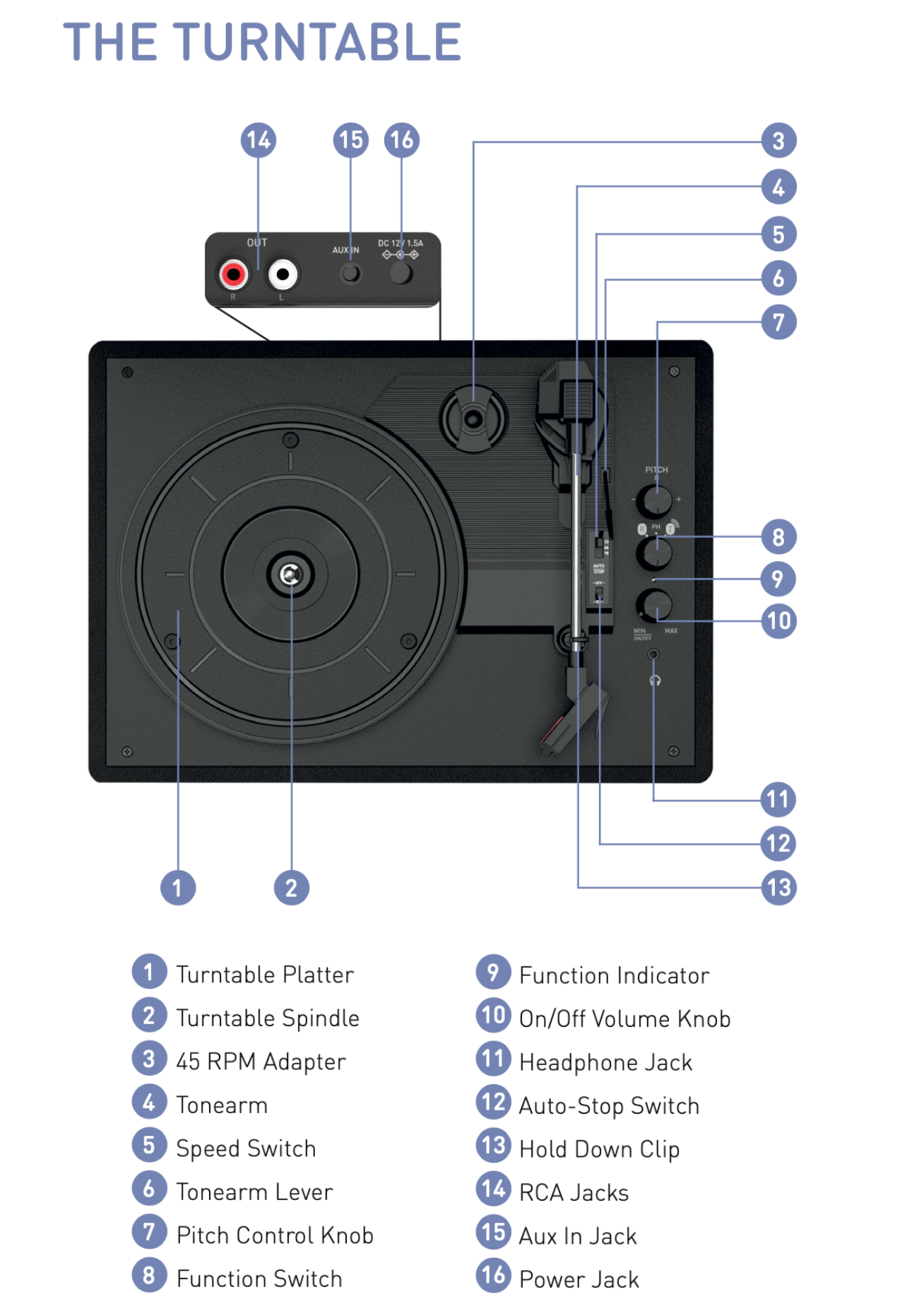
Set the Function Switch 8 to R ; this will cause the Function Indicator 9 to flash BLUE
When your device is in pairing mode, the turntable will appear as 'Mixx Revival 55".
Once paired successfully, the Function Indicator 14 will turn off.
You can now play music from your device through the turntable; you can adjust the volume using the On/Off Volume Knob 10
To disconnect your device, turn the Function Switch away from R
Note: Position your audio device as close as possible to the turntable when pairing.
Output
You can transmit the audio from your records to your bluetooth headphones or speakers, Set the Function Switch 8 to T; this will cause the Function Indicator 9 to flash BLUE
Once both your device and the turntable are in pairing mode, they will connect automatically and the Function Indicator 14 will turn off.
To disconnect your device, turn the Function Switch away from T.
FAQs
How do I replace the stylus needle on my Mixx Revival 55 Record Player?
Kindly follow the steps below to replace the Stylus needle on the Mixx Revival 55 Record Player.
Full FAQ List
To see our full FAQ list, click here